
Crayola Create and Play
Crayola LLCEducational
3.92.03K Reviews
- Version
- 2.60.0
- Installs
- 1.00M
- Age Rating
- Everyone
Screenshots


Our Review of Crayola Create and Play
 Analysis by Appyee
When I’m choosing a creative app for a child, I look beyond whether it can keep them busy. I want to know if they can find their way around without constant help, whether the activities invite them to make choices, and if the experience suits the way they actually like to play. Crayola Create and Play is an educational game from Crayola LLC that brings art-making together with playful activities. In my experience, its appeal is the variety: a child can color, draw, try a game, or spend time with a virtual pet rather than being confined to one kind of task.
Start with the child, not the feature list
This is best suited to children who enjoy switching between activities and exploring a bright, guided digital space. A child who likes filling in pictures may gravitate to the coloring pages; another may prefer starting with a blank canvas or caring for a pet. That range makes it easier to offer the app as a choice rather than assigning it as a lesson. I’d be less likely to choose it for a child who wants a focused drawing tool with fine control, or for someone who prefers a quiet, single-purpose activity over a menu of different things to try.
It is free to download, with in-app purchases priced from $0.99 to $99.99 per item, so I’d check the purchase settings before handing a device over. The game is rated Everyone and has a 4.0 average from around 7,500 ratings, with more than 1 million installs. Those figures suggest a well-used option, but they can’t tell you whether its style will click with your child; a short, supervised first session is a more useful test. It was released on November 12, 2018, and the current version is 2.53.0, with Android 8.0 as the minimum operating system.
Getting Started: A Splash of Color
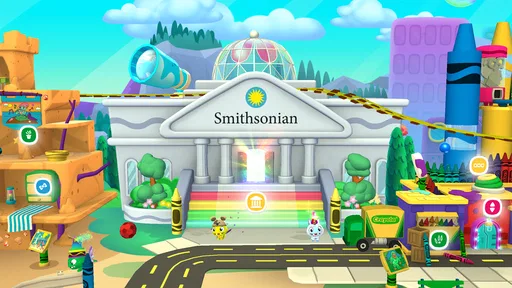
When I first opened Crayola Create and Play, I was greeted with a burst of colors and an inviting interface. The app is designed with kids in mind, so everything is intuitive and easy to navigate. It's like walking into an art studio where you can choose your own adventure. Whether it's drawing, coloring, or playing mini-games, there's something for every budding artist.
Features That Spark Creativity
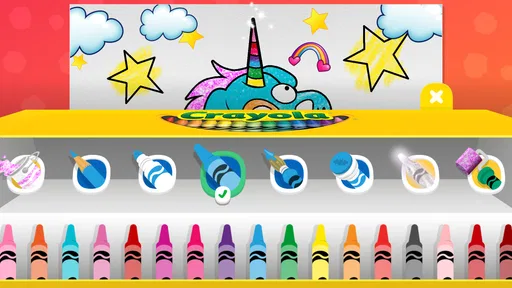
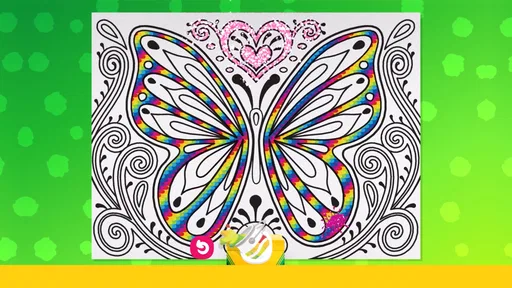
One of the coolest features of this app is the digital coloring pages. Remember those Crayola coloring books you loved as a kid? Well, they're back, but in a digital form. The app offers a wide range of themes, from animals and fairy tales to outer space adventures. And the best part? No more running out of your favorite color! The digital palette offers an endless supply of shades to choose from.
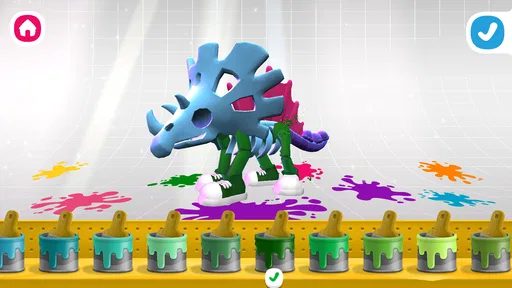
But it doesn't stop there. The drawing tool is fantastic for kids who want to create their own masterpieces from scratch. They can choose different brushes and textures to make their art truly unique. And if they're feeling adventurous, the app even has a feature that lets them experiment with 3D art. It's like having a mini art class on your device!
Learning Through Play
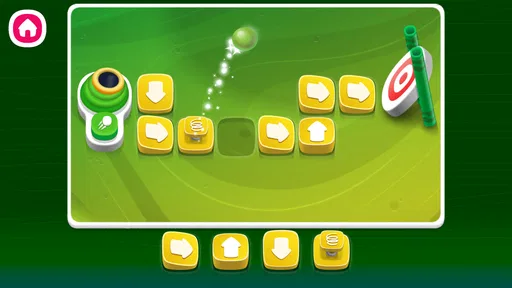
What I really love about Crayola Create and Play is how it combines creativity with learning. The app includes educational mini-games that teach kids about colors, shapes, and patterns. These games are cleverly disguised as fun activities, so kids will be learning without even realizing it. It's a win-win for parents looking to keep their kids entertained and educated.
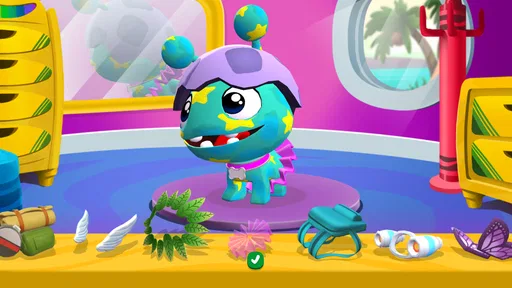
There’s also a pet care feature where kids can adopt and take care of their own virtual pet. They can feed them, play with them, and even design their habitats. It's a great way for kids to learn about responsibility and compassion while having a blast.
Making a session work at home
A useful way to introduce the app is to give a child one simple prompt instead of asking them to explore everything at once. For example, after school I might suggest choosing an animal picture, coloring it, then trying to draw a companion for it. That gives the child a clear starting point while leaving the choices—colors, details, and what happens next—in their hands. Another day, the virtual pet can be the focus, so the session feels different without needing a new app.
I’d also treat the variety as something to manage, not just a benefit. If a child keeps hopping from one activity to another, a gentle choice between two options can make it easier to settle into one task. Conversely, if they get stuck on a blank drawing surface, a coloring page may provide an easier entry point before they try creating from scratch. That small shift from guided coloring to open-ended drawing is one of the more useful ways to make the app fit different moods and confidence levels.
Where it differs from other children’s art apps
Compared with a basic digital coloring book, this offers more kinds of play than filling in outlines, including drawing, educational games, and pet care. That breadth is its clearest advantage for a household where a child’s interests change from day to day. Compared with a dedicated drawing app, though, it is less appealing if the main goal is careful, sustained illustration. I’d choose a focused art tool for a child who wants to spend a long time refining one picture, and this broader experience for a child who wants creative activities mixed with play.
It also occupies a different space from a conventional learning game. The educational element is tied to playful activities around colors, shapes, and patterns, rather than being the sole reason to open it. That makes it a more inviting option when a child is resistant to something that feels like extra schoolwork, but it is not a replacement for structured practice when a parent or teacher has a specific learning objective. I see it as a creative break that can include learning, not a formal teaching plan.
Practical trade-offs before handing over the device
Digital art avoids paper scraps and spilled supplies, and the palette means a child can keep experimenting without needing another crayon. The trade-off is that the experience still happens on a screen, so it may not suit families trying to replace screen time with hands-on making. I’d use it as one option among drawing on paper, building, or other offline play, rather than treating it as a substitute for every kind of creative activity.
The purchase range is worth discussing before a child explores independently. I would review purchase controls on the device and explain that paid items require an adult’s help; that simple boundary can prevent an otherwise pleasant session from turning into a negotiation. If you are comparing free-to-start apps, look at the possible purchase range as well as the download price. Here, the initial cost is free, but some in-app items can cost substantially more than a small add-on.
For travel, the original review’s offline-mode experience is a practical reason to consider it for a car ride or a place with unreliable Wi-Fi. I’d open the activities I expect a child to use before leaving home, then check that the device itself is ready for the journey. That is a more dependable routine than assuming every part of a varied app will be equally convenient in every situation. At home, a parent can first explore the menus together and help a younger child settle on an activity; older children who are comfortable navigating apps may need less guidance.
Safe and Kid-Friendly
As a parent, safety is always a concern when it comes to apps for kids. I'm happy to report that Crayola Create and Play takes this seriously. The app is ad-free, so you don't have to worry about inappropriate content popping up. Plus, it has a dedicated parent section where you can customize settings and keep track of your child's progress.
Another thoughtful feature is the offline mode, which lets kids play without an internet connection. Perfect for long car rides or when you're somewhere with spotty Wi-Fi. It ensures that the fun never stops, no matter where you are.
What to expect after the first try
A first session can help answer the practical questions better than a long feature tour. Does the child naturally return to coloring, or are they more interested in inventing their own picture? Do they understand how to move between activities, or do they need an adult nearby to get started? I’d watch for those preferences rather than judging the app by how many options appear on screen. If the child repeatedly chooses one activity, that may be enough to make the app worthwhile; if the menu itself becomes distracting, a simpler alternative could be a better fit.
The parent section can help adults keep an eye on settings and progress, but I would still make the first use a shared one. That gives you a chance to set expectations around purchases and screen time, and to see whether the child can use the controls comfortably. The Everyone age rating is useful context, but it does not mean every child will have the same level of independence or need the same amount of supervision.
Final Thoughts: A Creative Wonderland
All in all, Crayola Create and Play is a fantastic app for kids. It's packed with features that inspire creativity and learning, all wrapped up in a safe and colorful package. Whether your child is an aspiring artist or just loves to play, this app is sure to keep them entertained for hours. Plus, it's a great way for them to express themselves without any mess or fuss.
If you're looking for a way to keep your kids engaged with something educational and fun, give Crayola Create and Play a try. It's like having a world of creativity right at your fingertips!
Who I’d recommend it to
I’d try it for a child who enjoys colorful art activities but is not yet committed to drawing alone, or for a parent looking for a flexible option for short periods at home and on the go. It can work especially well when the goal is to offer a child a choice between guided coloring and more imaginative play. I’d skip it if you need a completely hands-off experience, a dedicated professional-style art workspace, or a structured curriculum with clearly sequenced lessons. In those cases, a simpler coloring app, a focused drawing program, or offline art materials may serve the child better.
My recommendation is to start with a shared session, see which activity the child returns to, and decide from there whether the range is a strength for your family or simply more choice than you need. With its creative tools, learning games, and pet-care play, it offers a distinctive mix; the purchase controls and screen-time trade-off are the parts I’d plan around. If that balance suits your household, this is an appealing way to give a young child room to create and explore.
Verdict
Strengths of Crayola Create and Play
- Engaging educational content
- Colorful and kid-friendly interface
- Encourages creativity and learning
- Regular updates with new activities
- Safe environment for children
Limitations of Crayola Create and Play
- Requires subscription for full access
- May have in-app purchases
- Limited offline features
- Some activities can be repetitive
- Needs stable internet connection
Similar Picks in This Category
View All
Little Panda Policeman
BabyBus4.0

Monster Trucks Game for Kids 2
Raz Games4.1

Little Panda's Chinese Recipes
BabyBus4.4

Little Panda's Restaurant
BabyBus4.4

Little Panda's Ice Cream Games
BabyBus4.3

Baby Panda Care
BabyBus3.8
Frequently Asked Questions
What is Crayola Create and Play?
Crayola Create and Play is an interactive app designed for children that combines creativity and education. It offers a variety of activities, including coloring, crafting, and educational games that enhance artistic skills. The app is designed to be fun and engaging, providing a safe space for kids to explore their creativity.
Is Crayola Create and Play safe for children?
Yes, Crayola Create and Play is designed with children's safety in mind. The app has no third-party advertisements and provides a secure environment where children can explore and learn. Parents can rest easy knowing that their children are interacting with age-appropriate content in a safe digital space.
What age group is Crayola Create and Play suitable for?
Crayola Create and Play is ideal for children aged 3 to 8 years old. It is designed to cater to the developmental needs of this age group, offering various activities that are both educational and entertaining, helping to foster creativity and cognitive skills in young children.
Does Crayola Create and Play require an internet connection?
While an internet connection is needed for initial download and certain updates, many features of Crayola Create and Play can be accessed offline. This allows children to enjoy the app without constant connectivity, making it a convenient choice for travel or areas with limited internet access.
Are there in-app purchases in Crayola Create and Play?
Crayola Create and Play does offer in-app purchases, providing access to additional content and features. While the basic version includes a variety of activities, purchasing a subscription unlocks more content, ensuring a richer and more diverse creative experience for children.
Play our best games!


